

Houston…we have a winner!
Shoot for the moon in your very own spaceship, and set your sights on more than just stargazing with this interactive training game. Your mission is to land on the moon first without running out of fuel, crashing into other rockets, or encountering any strange unidentified objects.


Easy to Build
It's easy to create engaging and interactive training games with our highly intuitive quiz builder. The step-by-step navigation makes game creation a breeze and best of all...there's no coding required!
The question builder provides a consistent structure for each game you develop. And with the easy drag-n-drop feature, it’ll save you time when adding new or existing questions.

Create Your Own Branding
Enhance your design further by uploading your own logo. This personal touch not only allows you to showcase your unique brand identity but also elevates the overall aesthetic, making it truly your own.


Personalize Team Names, Colors, and Avatars
Give every team a distinct identity with fully customizable team names, colors, and custom avatars designed to boost player engagement.
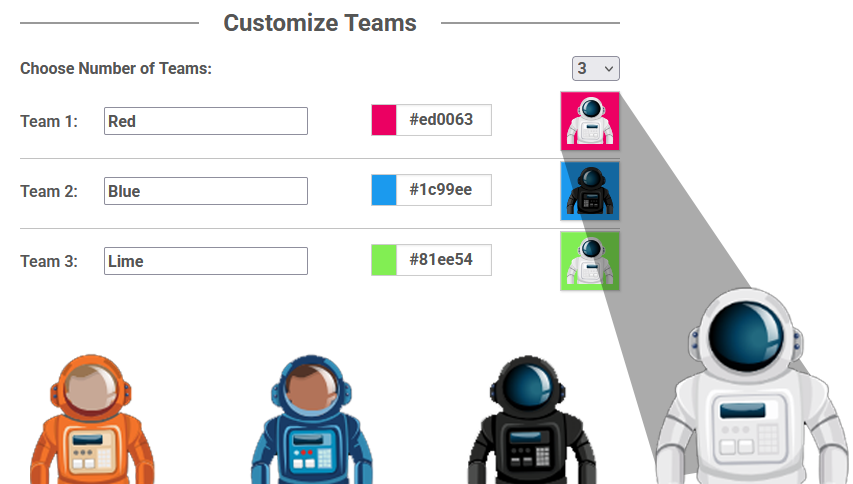
Make the game truly yours!
Check out what happens when you customize your team names, colors, and avatars.
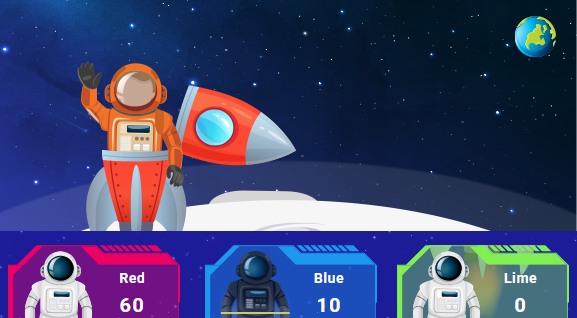
Diverse Avatar Library
Choose from hundreds of pre-made team avatars, including mascots, animals, people, superheroes, and futuristic robots…and more!


BRAVOZONE Just Got Smarter!
We’ve integrated AI technology directly into our core tools to ensure, that from the moment you sign up, you aren't just working—you’re working smarter.

The Eagle has landed
If you can correctly navigate through the challenges of Moonshot, you will successfully complete your mission by being the first to land on the moon.


Houston...we have a problem!
It's one small step for each correct answer as you race through space as a moon-missioned astronaut in your very own rocket ship. Answering correctly can give your rockets a boost by attacking your opponent with hurling space debris, satellites or angry aliens - sending them veering off course!
It’s more than just questions and answers…
Display text, pictures, sounds or video BEFORE and/or AFTER a question by using the Preview and Summary Screen. It's a great way to introduce content BEFORE the questions appear and helps expand on the question AFTER the teams have answered to create a learning experience.

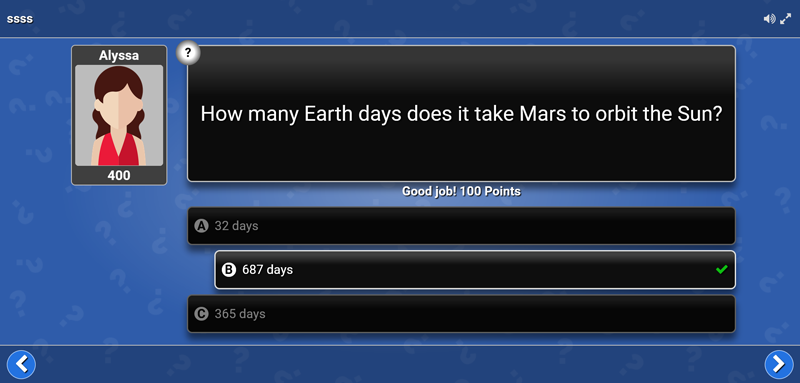
Introduce new material or clarifying material prior to presenting a question. The Preview Slide will allow you to use text, video or images to “set up” your question.
Preview Slide
Now it’s time to present your question! Once the question has been answered, check to see how many got it right to expose knowledge gaps and create teachable moments.
Question

Include a Summary Slide to reinforce what they’ve just learned or expand on concepts presented in the question.
Summary Slide
“Our first event was a smash hit! Went very well, and very well received. Thank you for helping me make it a success!"
Becky Pike Pluth
The Bob Pike Group
"I immediately see people light up when we use a BRAVOZONE game. When they experience it, they're jazzed about it, and they don't want it to end!"
Shannon
Charles Schwab
"Our test scores have gone from the low 80's to the mid 90's since we started using your training games."
Tim
AT&T

Design Text
That Stands Out
The new text editor gives you more customization options to get the look you’re envisioning! Add typographical emphasis by making text bold, italicized, or underlined. Whatever you’re imagining when adding text to your questions, this new editor will help you bring your games and quizzes to life.
Notice the Difference?
Give your presentations a professional look and enhance the learning experience by customizing each game with your own visuals, branding, teams, logos, and more with a simple click. With these tools at your disposal, you'll be on your way to creating engaging and interactive training games in no time!

Anytime - Anywhere Content Delivery
Wherever your training takes place (classroom, webinar, eLearning), delivering your content in an engaging game or quiz can drive positive and (memorable) learning experiences.
Once you've created a game, a unique QR Code is generated. Simply share that code with your users - no installation required and your attendees play anywhere, on any device.

Drive Results
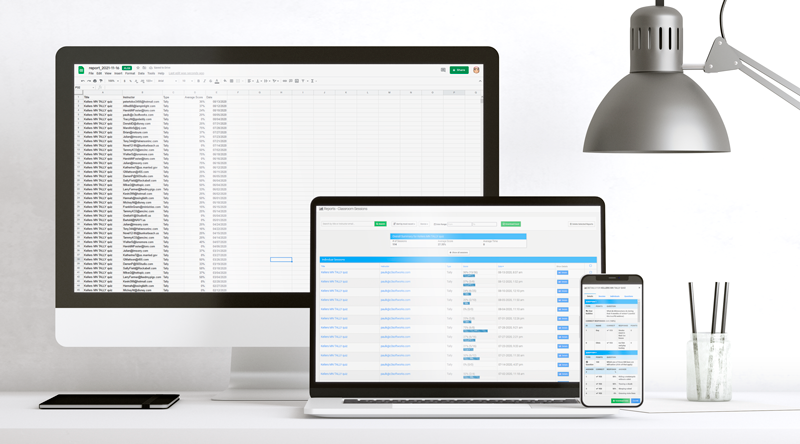
Moonshot not only helps engage your students but also produces real-time results. Question by question results are provided, helping you expose knowledge gaps and remediate in real-time.
Comprehensive results are captured for every session played. A quick glance will show you a Pass, Fail or Incomplete status for each participant. Dig a little deeper and find out exactly how each user answered by viewing the details: there you will see the user's response for each question, making it easy to know what they know. You can also download the data file as a spreadsheet.

Engage the whole class with their smart devices
Take your audience to a whole new level of engagement with mobile devices. Each trainee responds to a LIVE presentation via any mobile device. Play in teams or all-play mode and see their responses in real-time.
Experience Moonshot
A Boooo-tiful Night
Play the spook-tacular quiz and see how much you know about all things spooky.
Fall-ing for Trivia
Spice up your Fall training with this un-be-leaf-able quiz about Autumn!
"Falling" for Autumn Trivia
It’s time add some pumpkin spice to your training with fun, fall-themed trivia games from BRAVOZONE! Feel free to send these out to your trainees and let the fun begin!
Batter Up!
See how much you know about, what Babe Ruth called, “The Greatest Game in the World!”

Baseball Trivia
Test your baseball knowledge and see if you can hit a “Home Run” with this trivia game!

Dog Dayz of Summer
Take the Dog Dayz of Summer quiz and see how much you know about the hottest time of the year!
TRY IT in your next training session
Get a FREE 14-day unlimited license to use in your next training session. Try it in the classroom, on a webinar, or in an eLearning game session and see for yourself how powerful gamified training can be.